Agent System
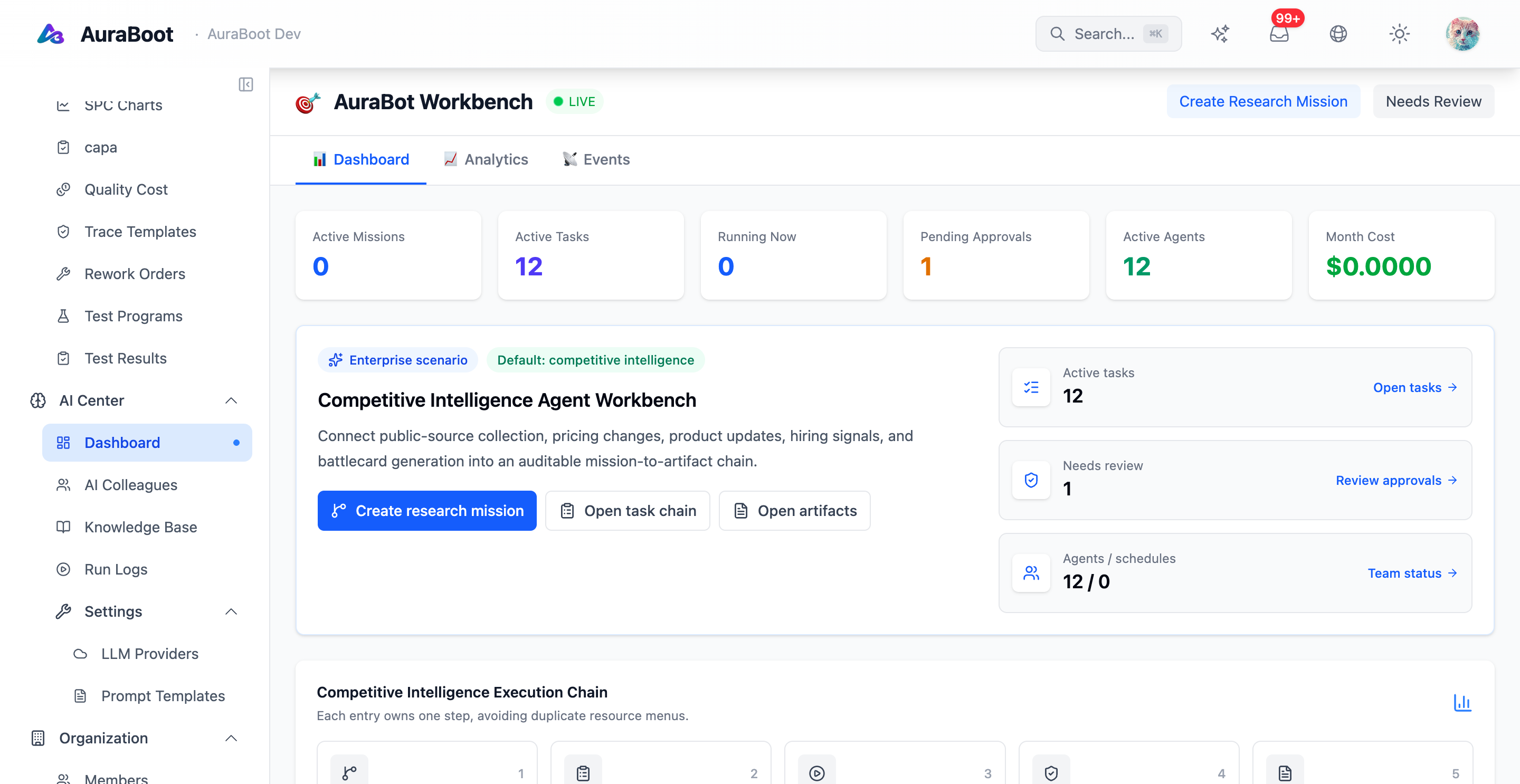
AuraBoot's agent system turns application metadata into safe AI actions. AuraBot can answer questions, inspect the current page context, call approved tools, and execute multi-step work through the same command pipeline used by normal users.
The key design choice is that agents do not bypass the platform. They operate through models, commands, named queries, permissions, audit logs, approvals, and traces. This makes AI useful in business applications without creating a second, uncontrolled automation path.
Runtime Layers
| Layer | Purpose | Runtime artifact |
|---|---|---|
| AuraBot Panel | User-facing chat and contextual assistant | Streaming chat session |
| LLM Provider | Model selection and API execution | Cloud-configured provider |
| Agent Definition | Role, instructions, model, guardrails | Agent metadata record |
| Tool Contract | Tool purpose, schema, risk, confirmation policy | Native tool config |
| Command Pipeline | Auth, validation, transaction, audit, events | Command execution result |
| Trace | Debugging, cost, spans, tool calls | AI trace and span records |
This layering keeps the user experience conversational while keeping execution deterministic enough for operations teams to inspect.
AuraBot vs. Agent Runtime
AuraBot is the user interface. The agent runtime is the execution layer behind it.
AuraBot handles:
- Opening a right-side assistant panel from the application shell
- Collecting current page context, record context, model metadata, and selected fields
- Streaming responses from the configured model provider
- Offering quick actions such as explain, summarize, draft, or query
The agent runtime handles:
- Loading agent definitions and guardrails
- Selecting tools from metadata-derived contracts
- Calling DSL commands, named queries, or approved native tools
- Applying confirmation and approval rules
- Recording trace spans, tool calls, failures, and cost
Tool Contracts
Every agent tool should have a contract. A contract explains what the tool does, when it should be used, what input schema it accepts, what output schema it returns, and what risk level it carries.
AuraBoot can derive most contracts from metadata:
| Source | Derived contract fields |
|---|---|
| Command definition | Purpose, side effects, risk level, input schema |
| Model metadata | Field names, data types, required inputs |
| Named query | Read-only query purpose and parameters |
| Capability registry | Version, ownership, composability |
| Agent hints | Human-written usage guidance |
Contract quality matters. If a tool says only "update record", the model may choose it too often. If it says "transition an approved purchase request back to draft when the requester needs to correct fields", the model can make a narrower and safer decision.
Risk and Confirmation
Agent execution maps command risk to confirmation behavior.
| Risk | Example | Agent behavior |
|---|---|---|
| Low read | Query records or summarize a page | Execute without confirmation |
| Low write | Create a draft record | Usually execute directly |
| Medium | Change status or run a batch update | Ask once or require explicit confirmation |
| High | Delete, approve payment, irreversible operation | Always confirm and often require approval |
The same permission checks still apply. If the user cannot run a command manually, the agent cannot run it on the user's behalf.
Multi-step Execution
Agents can decompose work into steps. A typical request such as "create a campaign, add three tasks, and summarize next actions" becomes:
- Understand the target model and required fields
- Create the campaign through a create command
- Create child task records through command calls
- Query the resulting records
- Return a summary with links
Each write operation still passes through the command pipeline. The agent receives structured results rather than scraping the UI.
Collaboration Modes
Advanced deployments can model agent work as tasks. The core patterns are:
| Mode | Behavior | Use case |
|---|---|---|
| Delegate | A parent task assigns one subtask to a specific agent | Specialist review or calculation |
| Broadcast | Several agents attempt the same task, then the best result is selected | Drafting, classification, analysis |
| Pipeline | Agent steps run in sequence and pass output forward | Multi-stage enrichment or review |
OSS documentation should treat these as architecture concepts unless the deployment has the corresponding task management screens enabled.
Observability
Agent work must be debuggable. AuraBoot records trace data for model calls and tool calls so administrators can answer:
- Which prompt and model were used?
- Which tool was selected and why?
- What arguments were sent to the tool?
- Did validation, permission, or downstream execution fail?
- How long did the model call and tool call take?
- What was the token or provider cost?
Trace data is also useful for improving tool descriptions. If a tool is frequently misused, the fix is often a better contract, not a larger model.
Plugin Author Responsibilities
When plugin authors want their capabilities to work well with AuraBot, they should:
- Define precise model names, field labels, and descriptions
- Keep command input schemas strict and complete
- Set realistic risk levels on commands
- Add
agent_hintor equivalent guidance for ambiguous actions - Prefer named queries for read-heavy analytics
- Avoid exposing high-risk tools without clear preconditions
Boundaries
Agents are powerful, but they are not a replacement for platform rules. Do not use an agent to work around missing commands, weak permissions, or incomplete validation. If an operation matters to the business, model it as a command first, then let the agent call that command.
Next Steps
- Agent Workflows — Configure providers, tools, and guarded execution
- AI Copilot — Use AuraBot from the application shell
- Command Pipeline — Understand how agent actions execute safely
- Permissions — Control what users and agents can do