Security Hardening
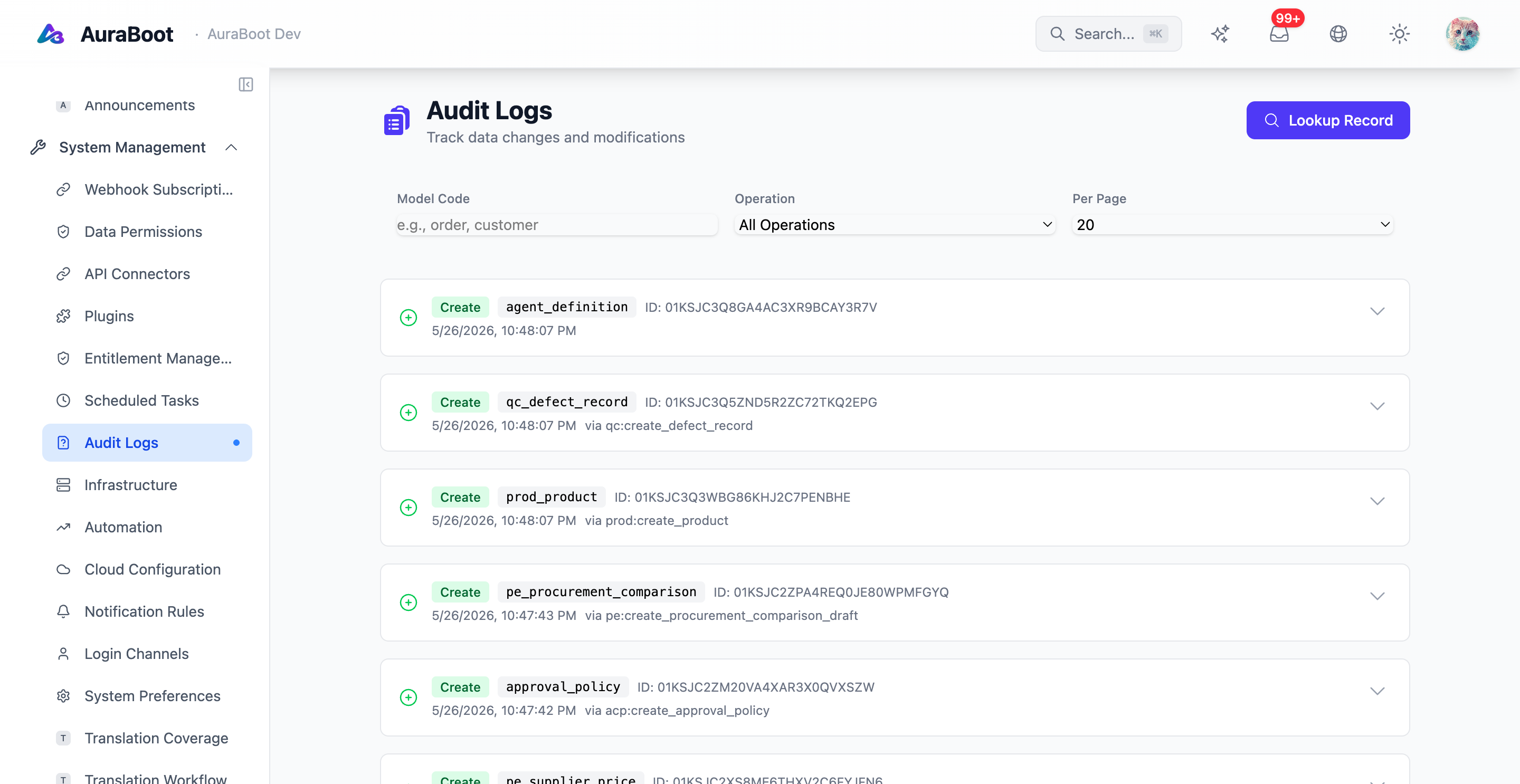
AuraBoot ships with several defense-in-depth layers. Hardening is the process of making sure each layer is configured for production rather than the permissive defaults used during plugin authoring.
Defense layers
| Layer | What it protects | Where it lives |
|---|---|---|
| Authentication | Caller identity | JWT issuance + security.jwt.secret |
| Permission codes | Action authorization | @RequirePermission(MetaPermission.X) + role assignment |
| Row-level data scope | Per-record visibility | DataScopeType per role + model ownerField |
| Admin Guard v2 | High-risk endpoints | Path-scoped roles + ab_admin_action_log |
| Input validation | Injection, traversal | Bean Validation + parameterized JDBC |
| Audit log | Forensic record | ab_audit_trail append-only (hash chain) |
When to use
- Before exposing a deployment to non-internal users.
- After importing a third-party plugin: verify its declared permissions and row policies.
- During a periodic security review (recommended quarterly).
- After any change to authentication, JWT, or permission-code wiring.
Permission codes
Every permission code follows <module>.<resource>.<action> and must be registered in default-bootstrap.json or a plugin's permissions.json. The CI permission-code gate fails closed; an unresolvable reference is a build break, not a warning.
// Correct: typed constant referencing a registered code
@RequirePermission(MetaPermission.META_CHANGELOG_READ)
public PageResult<ChangelogEntry> list(...) { ... }

// Forbidden: raw string bypasses the registry
@RequirePermission("system.changelog.read")Forbidden patterns:
- New
system.*prefixed codes (deprecated). - Raw string literals in
@RequirePermission. commands.json/menus.jsonreferencing unregistered codes.
Admin Guard v2
Admin Guard v2 protects high-risk endpoints (data export, bulk delete, tenant management) with three controls:
- Path-scoped roles:
/api/admin/infrastructure/**,/api/admin/cloud-config/**, and/api/admin/bootstrap/**requireplatform_admin; all other/api/admin/**requiretenant_admin(the two roles do not imply each other). - A Caffeine 60-second cache dampens role-check abuse.
ab_admin_action_logappend-only audit row per invocation.
A path that should be admin-only but is not scoped is a defect, not a feature.
Row-level data scope
Data scope applies at the dynamic-table query layer — the row filter is appended in SQL and cannot be bypassed by direct DSL queries. The mechanism is not a free-text filter but a per-role DataScopeType enum (com.auraboot.framework.permission.enums.DataScopeType):
| DataScopeType | Meaning |
|---|---|
self | Only the user's own records (compares the model's ownerField against the current user) |
dept / dept_and_sub | The user's department / department and sub-organizations |
all | Everything |
A model declares an ownerField (for example crm_lead's crm_lead_assigned_to); when a role is bound to self, the platform appends <ownerField> = <current user> at the query layer. Data scope composes with permission codes: the caller needs the permission, and the data scope must also match. See Permissions.
SQL and exception red lines
- All parameter values flow through
DynamicDataMapperparameterized binding. String concatenation into SQL is a P0 finding. - Dynamic table names (the
mt_prefix convention) are validated against an identifier allowlist ([a-zA-Z0-9_]+) before being used inFROM, rejecting any table name with special characters. catch (Exception e)inside@Transactionalmethods marks the transaction rollback-only on the next commit attempt. Use@Transactional(propagation = NOT_SUPPORTED)for auxiliary operations and write a comment explaining why each new catch block is safe.- No
ensureXxx()self-healing on missing data; surface the error so the bootstrap chain can be fixed at its source.
Configuration
security:
  jwt:
    secret: ${JWT_SECRET:dev-only-secret-key-replace-in-production-min-32-chars}
    kid: ${JWT_KID:key-1}
    expiration: ${JWT_EXPIRATION:86400}   # seconds (default 24h)
    previous-secret: ${JWT_PREVIOUS_SECRET:}   # verifies old tokens during rotation
    previous-kid: ${JWT_PREVIOUS_KID:}
  password:
    min-length: 8
    max-length: 128
    require-uppercase: true
    require-lowercase: true
    require-digit: true
    require-special: false
    history-count: 5
    expiry-days: 90
  lockout:
    max-attempts: 5
duration-minutes: 30Admin Guard v2 is not configured via YAML: the path scoping (/api/admin/infrastructure/**, /api/admin/cloud-config/**, /api/admin/bootstrap/** need platform_admin, the rest of /api/admin/** need tenant_admin) is baked into AdminRoleInterceptor, and every call writes a ab_admin_action_log row. CORS, TLS, and security response headers are configured at the reverse-proxy layer per the pen-test checklist.
Pen-test checklist
[ ] Auth: tokens expire; refresh rotates; revoked tokens are rejected within 60s
[ ] Auth: brute-force on /api/auth/login is rate-limited per IP and per user
[ ] AuthZ: every Controller has @RequirePermission or explicit @PermitAll comment
[ ] AuthZ: row-level filters cannot be bypassed via /api/<pageKey>/list
[ ] Input: parameterized SQL only; dynamic table names regex-validated
[ ] Input: file upload restricts content-type, size, and rewrites filenames
[ ] Crypto: TLS 1.2+ only; HSTS; secure cookies; no plaintext secrets in logs
[ ] Headers: X-Frame-Options, X-Content-Type-Options, CSP set in reverse proxy
[ ] Errors: 5xx responses do not leak stack traces; 4xx do not echo SQL
[ ] Audit: every admin action lands in ab_admin_action_log with actor + payload hash
[ ] Dependencies: SCA scan green; no critical CVEs in the last release
[ ] Secrets: rotation rehearsed; vault access logs reviewedVerify
node scripts/validate-permission-codes.mjsexits zero in both OSS and enterprise repos.- A pen-test against the latest release passes every item in the checklist.
- Logs show every admin action with actor, target, and result.
- Attempting an unauthorized command returns 403 with no detail leakage.
- Attempting SQL injection via list filters returns a validation error, not a
BadSqlGrammar.