7. Promote and release
You now have a working CRM in dev. This chapter walks the promotion path to staging and production using env-layering so the configuration is reproducible.
Estimated time: 25 minutes.
7.1 Snapshot the dev configuration
Run from the project root:
# run locally
aura plugin export crm --target dist/crm-dev.zipThis packages every CRM artefact: model definitions, pages, permissions, automation flows, BPMN processes, dashboard, mobile config.
7.2 Diff against staging
Connect Studio to staging and run a diff against the package:
If you are using in-product env-layering, run the promotion dry-run and review the Diff Viewer before applying:
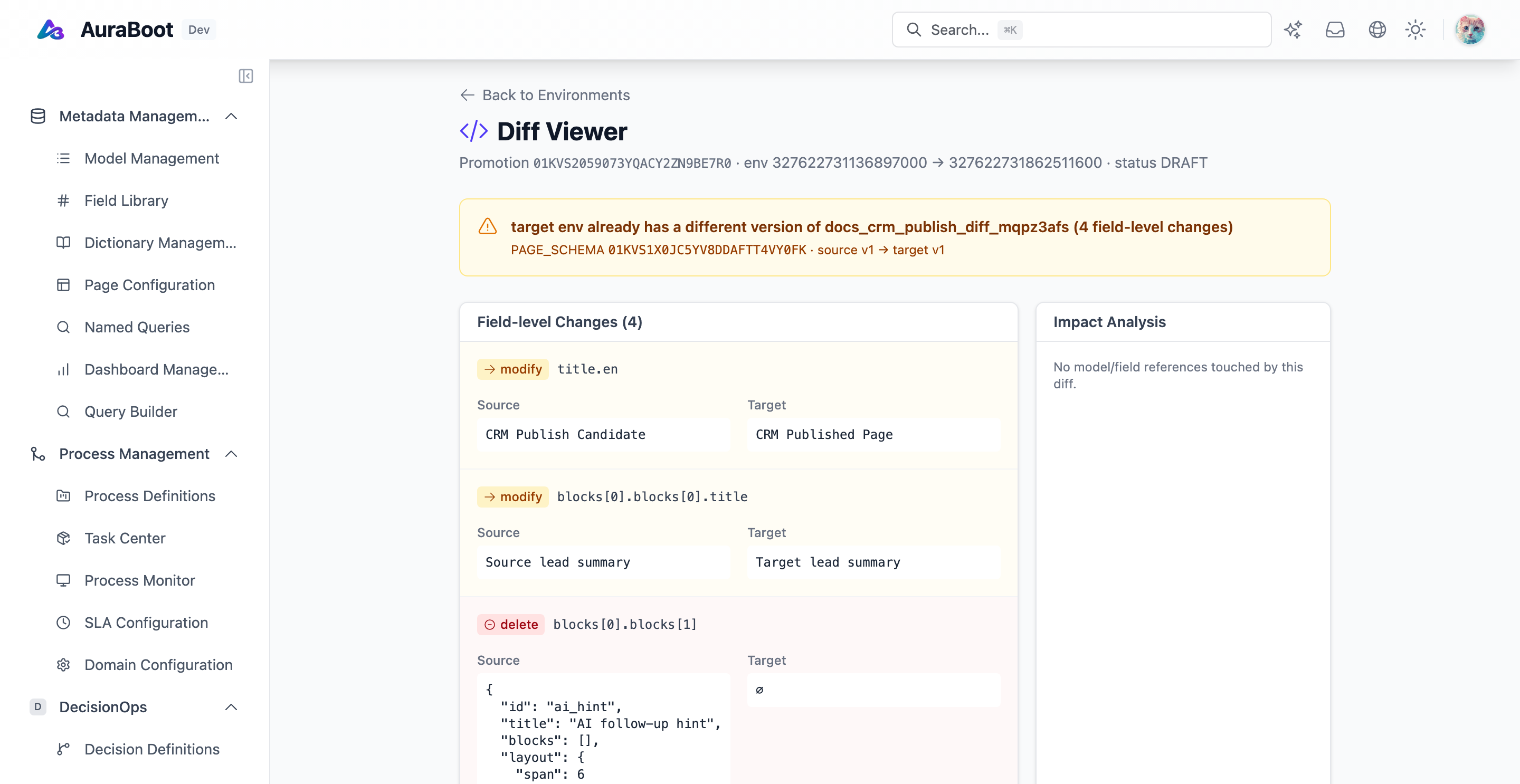
Review the diff carefully. Reject anything that mutates user-generated data — env-layering only promotes configuration.
7.3 Promote to staging
Apply the package:
# run against staging
aura plugin import dist/crm-dev.zip --env staging --lockThe --lock flag prevents in-place edits on staging — changes must come from a new promotion cycle. See env-promotion for the full lifecycle.
7.4 Smoke
On staging:
- Log in as a rep, qualify a lead → opportunity is created
- Trigger a deal > $50k → approval reaches the manager
- Dashboard KPIs render with the seeded data
- Mobile app picks up the new objects
If anything is missing, fix in dev, re-export, re-import. Do not hotfix staging directly.
7.5 Promote to production
Same command, --env prod. The CI pipeline (if you have one) should call this on a green staging build. Otherwise run it manually with two-person review.
aura plugin import dist/crm-dev.zip --env prod --lock --reviewed-by alice,bob7.6 Post-release
- Tag the release in git:
git tag crm-v0.1.0 && git push --tags - Add a row to Release Notes (
/docs/release-notes/v0.x) describing what shipped - Set a 7-day check-in to review usage metrics on the dashboard
What you built
A working CRM with three models, designed pages, role-based access with row-level filters, automated lead-to-opportunity conversion, BPMN approval, a sales dashboard, a mobile experience, and a reproducible release path.
The whole thing is configuration. To go further:
- Plugin Development — wrap this CRM as a redistributable plugin
- AI Copilot — let users ask "show me deals at risk this quarter"
- Webhooks — push opportunity events to Slack or Salesforce