Pages and Layouts
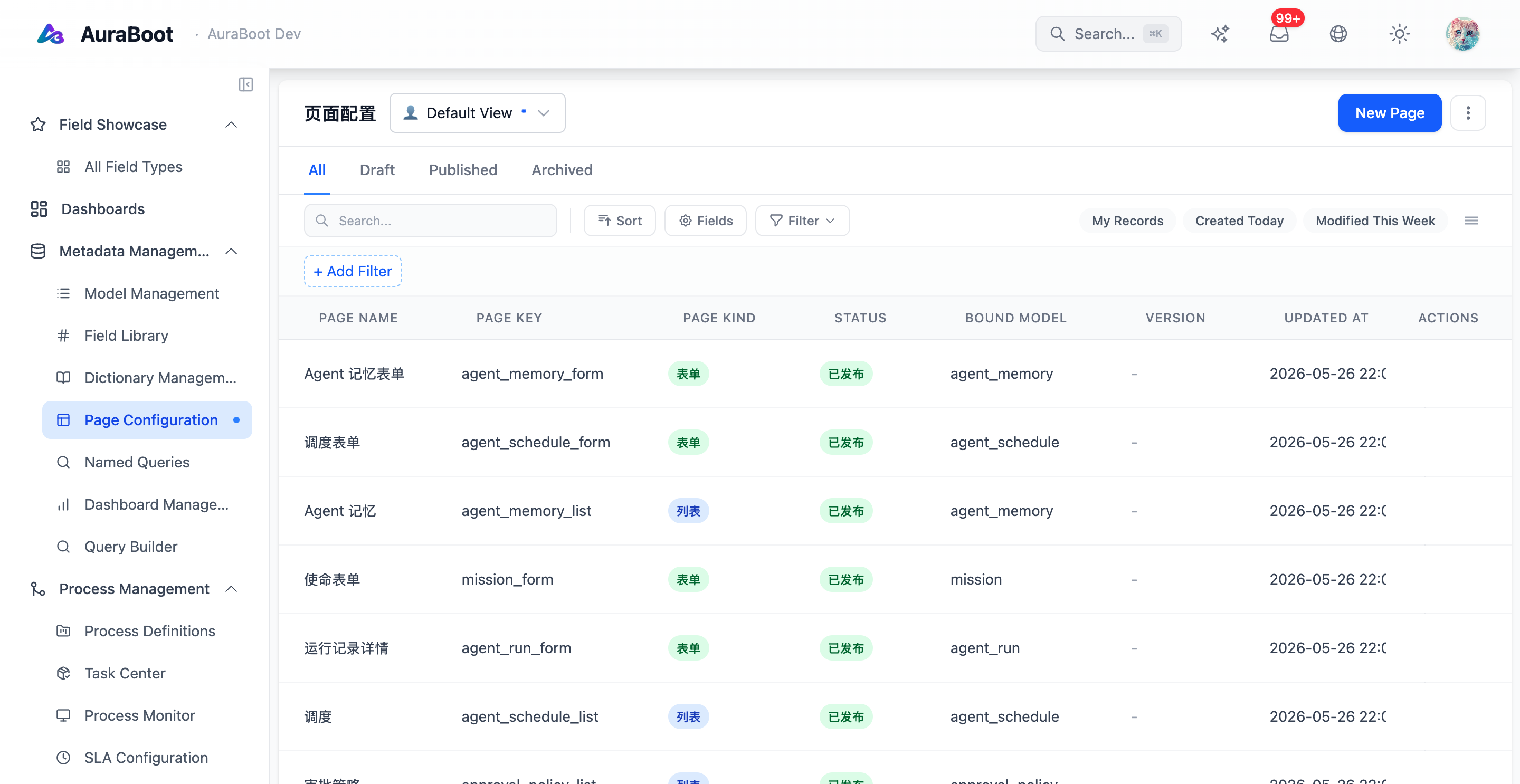
AuraBoot pages are JSON schemas rendered by the frontend runtime. A page describes the model, layout, blocks, fields, filters, actions, and data sources needed to render a business screen. This lets standard CRUD and dashboard screens ship without custom React code.
Page types
| Type | Purpose | Typical use |
|---|---|---|
list | Records in a searchable table | Leads, orders, tasks |
form | Create or update a record | New lead, edit invoice |
detail | Read-only record view | Account profile, order detail |
dashboard | Aggregated metrics and charts | Sales overview |
The same model can have multiple pages. For example, crm_lead can have a list page, create form, edit form, and detail page.
Page schema structure
{
  "pageKey": "crm_lead_list",
  "name:en": "Lead List",
  "kind": "list",
  "schemaVersion": 4,
  "modelCode": "crm_lead",
  "layout": { "type": "stack" },
  "blocks": []
}The schema is interpreted at runtime. Changing the JSON changes the rendered page after import or publish. Pages are flat: every renderable unit is a block in blocks, identified by blockType.
List pages
List pages combine columns, filters, search, row actions, and toolbar actions:
{
  "pageKey": "crm_lead_list",
  "kind": "list",
  "schemaVersion": 4,
  "modelCode": "crm_lead",
  "layout": { "type": "stack" },
  "blocks": [
    {
      "id": "toolbar",
      "blockType": "toolbar",
      "buttons": [
        { "code": "create", "action": "create", "label": "New Lead" }
      ],
      "area": "toolbar"
    },
    {
      "id": "table",
      "blockType": "table",
      "columns": [
        { "field": "lead_name", "width": 220 },
        { "field": "company" },
        { "field": "status", "width": 130, "renderType": "tag", "dictCode": "crm_lead_status" },
        { "field": "assigned_to", "width": 160 }
      ],
      "searchFields": ["lead_name", "email", "company"],
      "area": "main"
    }
  ]
}Form pages
Form pages are usually generated from command fields:
{
  "pageKey": "crm_lead_form",
  "kind": "form",
  "schemaVersion": 4,
  "modelCode": "crm_lead",
  "layout": { "type": "stack" },
  "blocks": [
    {
      "id": "basic",
      "blockType": "form-section",
      "title": "Basic Information",
      "fields": [
        { "field": "lead_name", "colSpan": 6, "required": true },
        { "field": "company", "colSpan": 6 },
        { "field": "email", "colSpan": 6 },
        { "field": "phone", "colSpan": 6 }
      ],
      "area": "main"
    },
    {
      "id": "buttons",
      "blockType": "form-buttons",
      "buttons": [
        { "code": "submit", "action": "save", "commandCode": "crm:create_lead", "primary": true, "label": "Submit" }
      ],
      "area": "footer"
    }
  ]
}The command decides which fields are writable and required. The page decides how those fields are laid out.
Detail pages
Detail pages combine read-only data, related records, timeline blocks, and actions:
{
  "pageKey": "crm_account_detail",
  "kind": "detail",
  "schemaVersion": 4,
  "modelCode": "crm_account",
  "layout": { "type": "stack" },
  "blocks": [
    { "id": "overview", "blockType": "form-section", "title": "Overview", "readOnly": true, "area": "main" },
    {
      "id": "contacts",
      "blockType": "sub-table",
      "title": "Contacts",
      "modelCode": "crm_contact",
      "foreignKey": "account_id",
      "area": "sub-tables"
    },
    {
      "id": "activity",
      "blockType": "activity-timeline",
      "title": "Activity",
      "area": "main"
    }
  ]
}Blocks
Blocks are the building units of pages:
| Block | Purpose |
|---|---|
form-section | Grouped fields in one to four columns |
table | Tabular child records or query results |
sub-table | One-to-many related records |
stat-card | Single metric |
chart | Visualized data source |
activity-timeline | Event or activity history |
rich-text | Static content or contextual instructions |
tabs | Organize blocks into tabs |
Responsive behavior
Page schemas should describe structure, not pixel-perfect layout. The runtime adapts form columns, tables, and block grids for smaller screens. Wide data tables should scroll inside their content area instead of forcing the full page to overflow.
When to write React
Use page schemas for standard business pages. Write custom React only when:
- The interaction cannot be expressed as blocks.
- The page is a platform tool or designer.
- The module needs a specialized visualization.
- The component will be reused as an extension point.