4. Automate the flow
Two complementary mechanisms drive the CRM lifecycle:
- Automation — event-driven graph that reacts to
crm_lead.status = qualifiedand creates the matchingOpportunity - BPMN — human-in-the-loop approval for deals above
$50,000
Estimated time: 35–45 minutes.
4.1 Automation: lead → opportunity
Open Automation → New flow:
- Trigger:
record.updated, model:crm_lead, predicate:status == 'qualified' && previous.status != 'qualified' - Action 1:
command.execute—crm_account.find_or_create_by_domainfromemail - Action 2:
command.execute—crm_opportunity.createwithaccount = result.account,title = lead.name + ' opportunity',stage = prospect - Action 3:
notification.send— channelin-app, recipientlead.owner
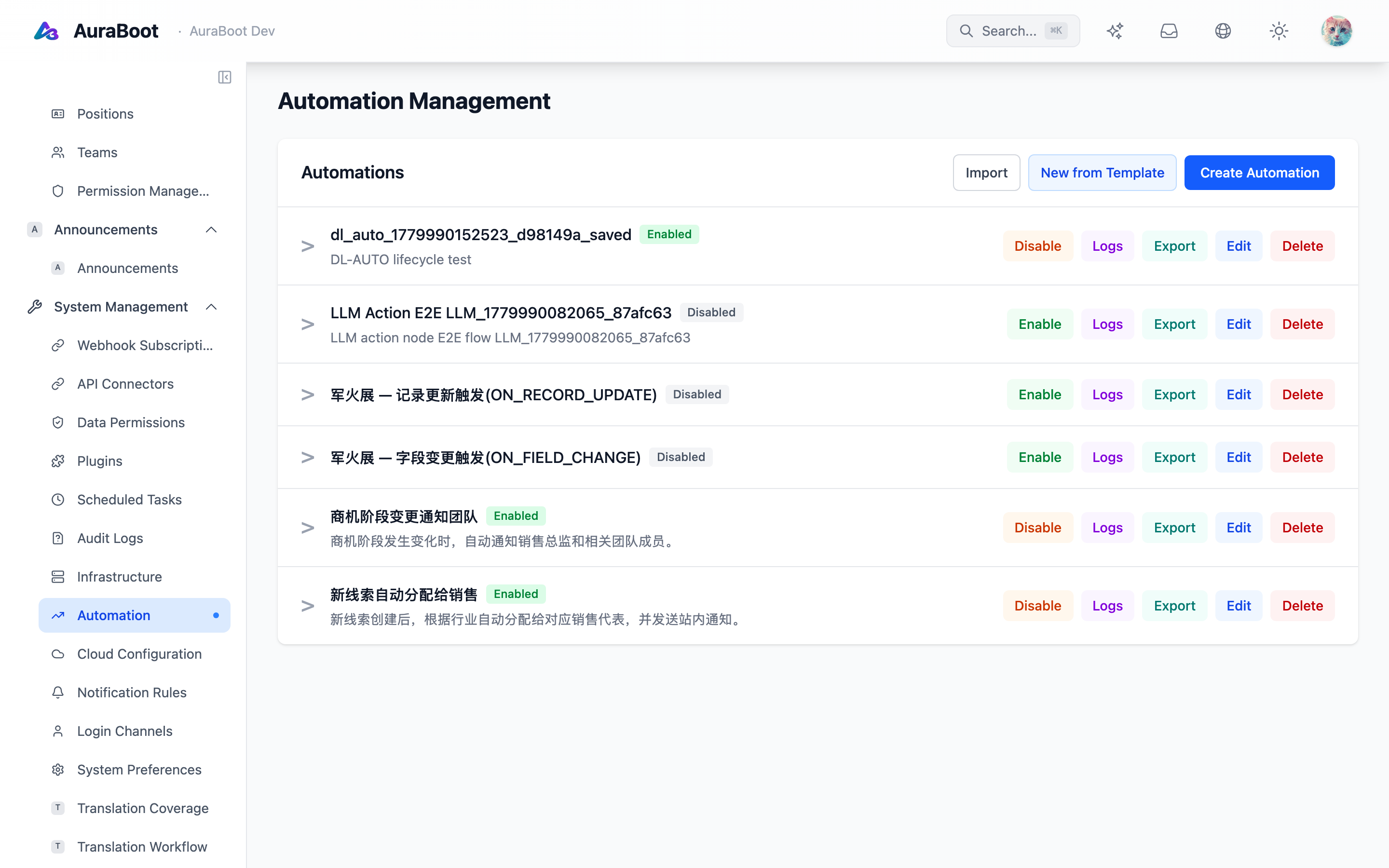
Each row above is one flow. Clicking Edit opens the graph canvas — the component palette on the left lists every trigger and action node type; you drag them onto the canvas and wire their edges. The right panel configures the selected node.
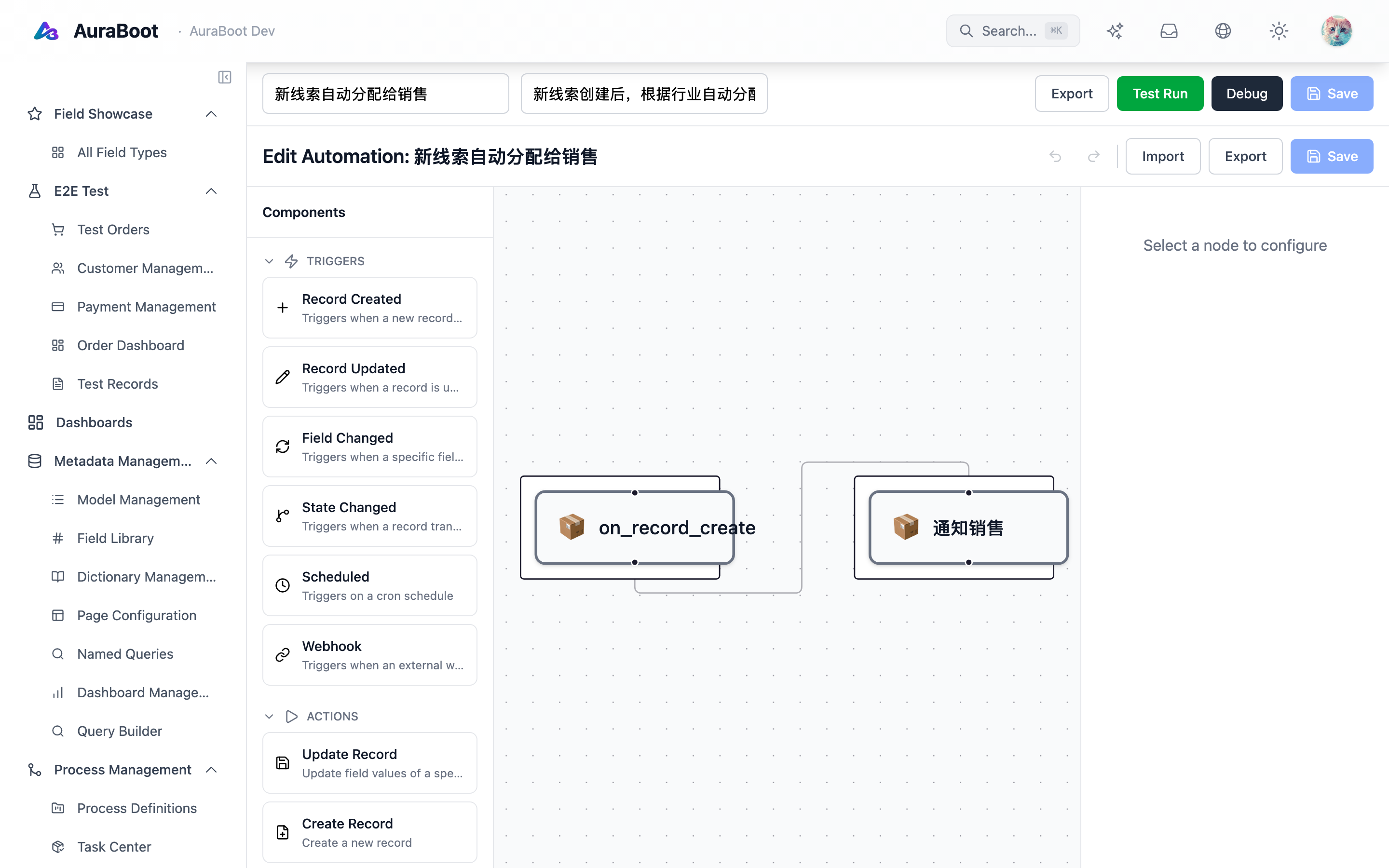
Under the hood the graph compiles to SmartEngine — action → serviceTask, condition → gateway. The compiler is documented in Flow Designer.
4.2 BPMN: deal approval
Open BPMN Designer → New process named crm_opportunity_approval:
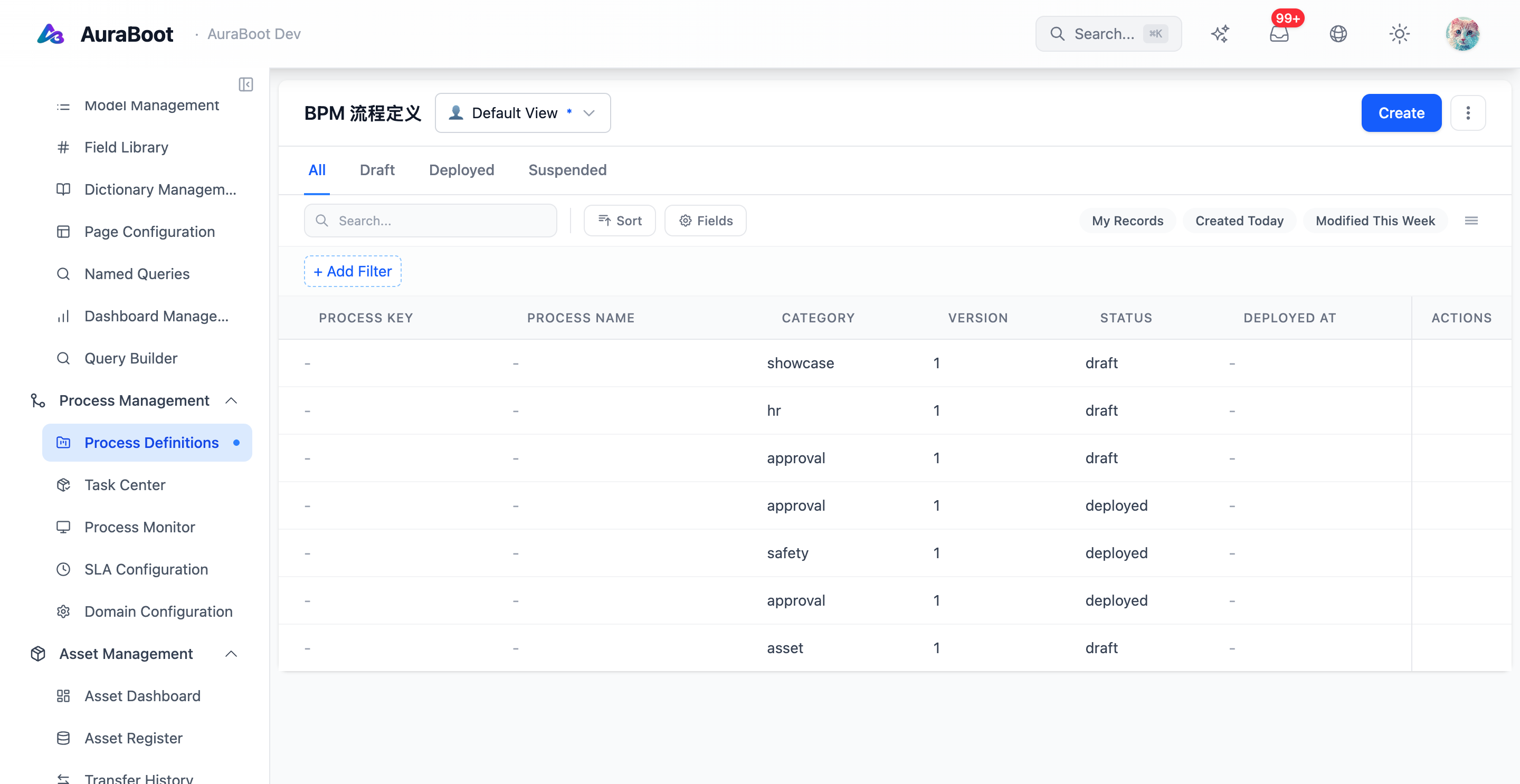
Click + New process (or Edit on an existing row) to open the BPMN designer canvas — events, tasks, and gateways live in the component palette on the left; the centre canvas is where you drop and connect them; the right panel configures the selected node's properties (process name, key, withdraw / cc policies).
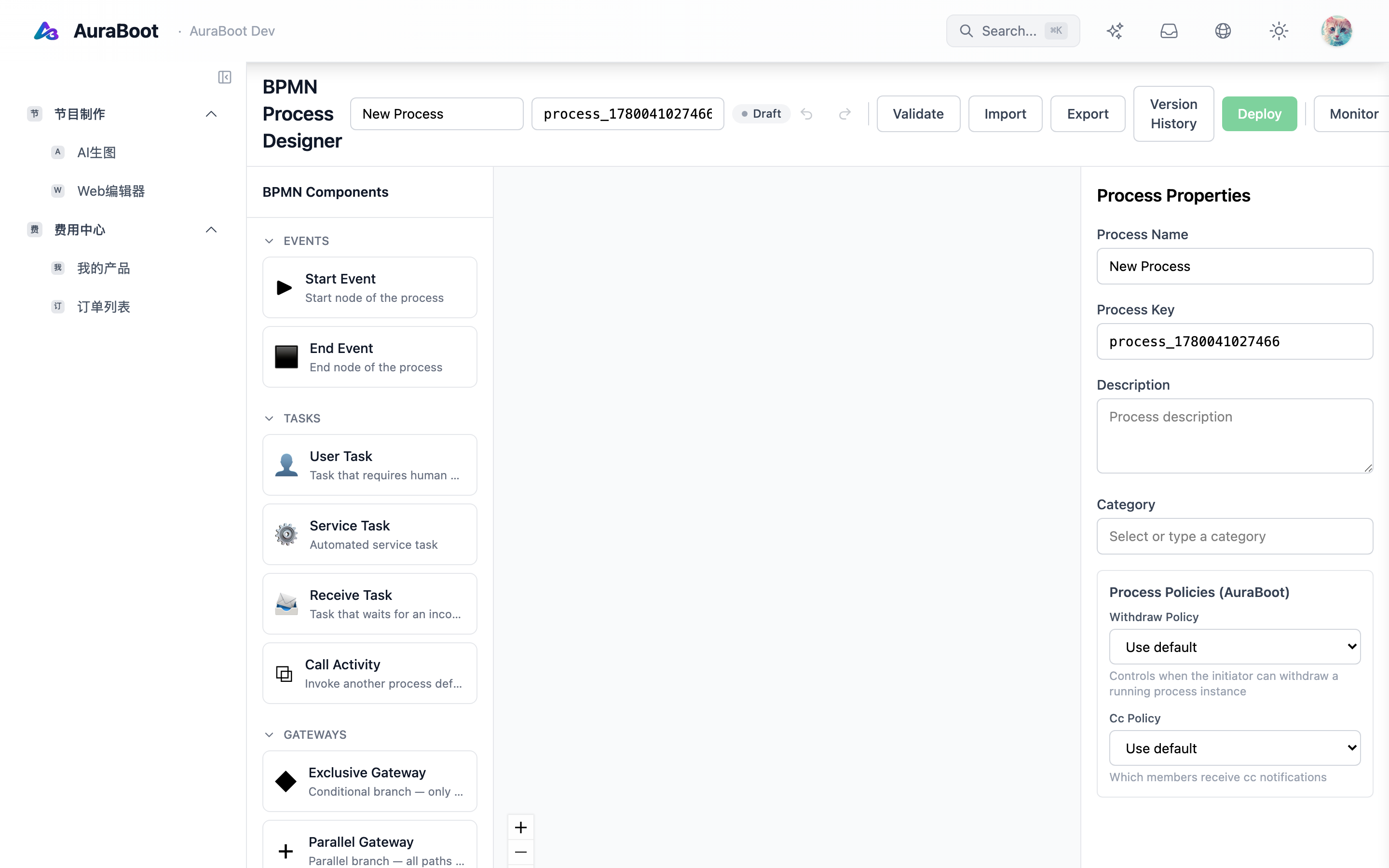
- Start event — triggered by command
crm.opportunity.submit_for_approval - Gateway —
amount >= 50000 - User task — assignee =
opportunity.account.owner.manager - Service task — on approve, set
stage = qualified; on reject, setstage = lost
Bind the process via bindingRules.json:
{
  "bindings": [
    {
      "handler": "crm.opportunity.submit_for_approval",
      "process": "crm_opportunity_approval"
    }
  ]
}
bindingRules.jsonmust live inresourceDirs(see Plugin Development). Inline rules incommands.jsonare silently ignored — red line #6.
4.3 Activity feed
The detail page's recent-activity block (chapter 2) listens to the crm.opportunity.stage_changed event. Configure a simple block that reads from ab_data_change_log filtered by record id.
4.4 Verify
- Qualify a lead → confirm an
Opportunityis created and the owner receives an in-app notification - Create an opportunity with
amount = 80_000and callsubmit_for_approval→ manager's inbox has the task - Approve → stage becomes
qualified - The activity feed shows entries with author + timestamp