Models and Fields
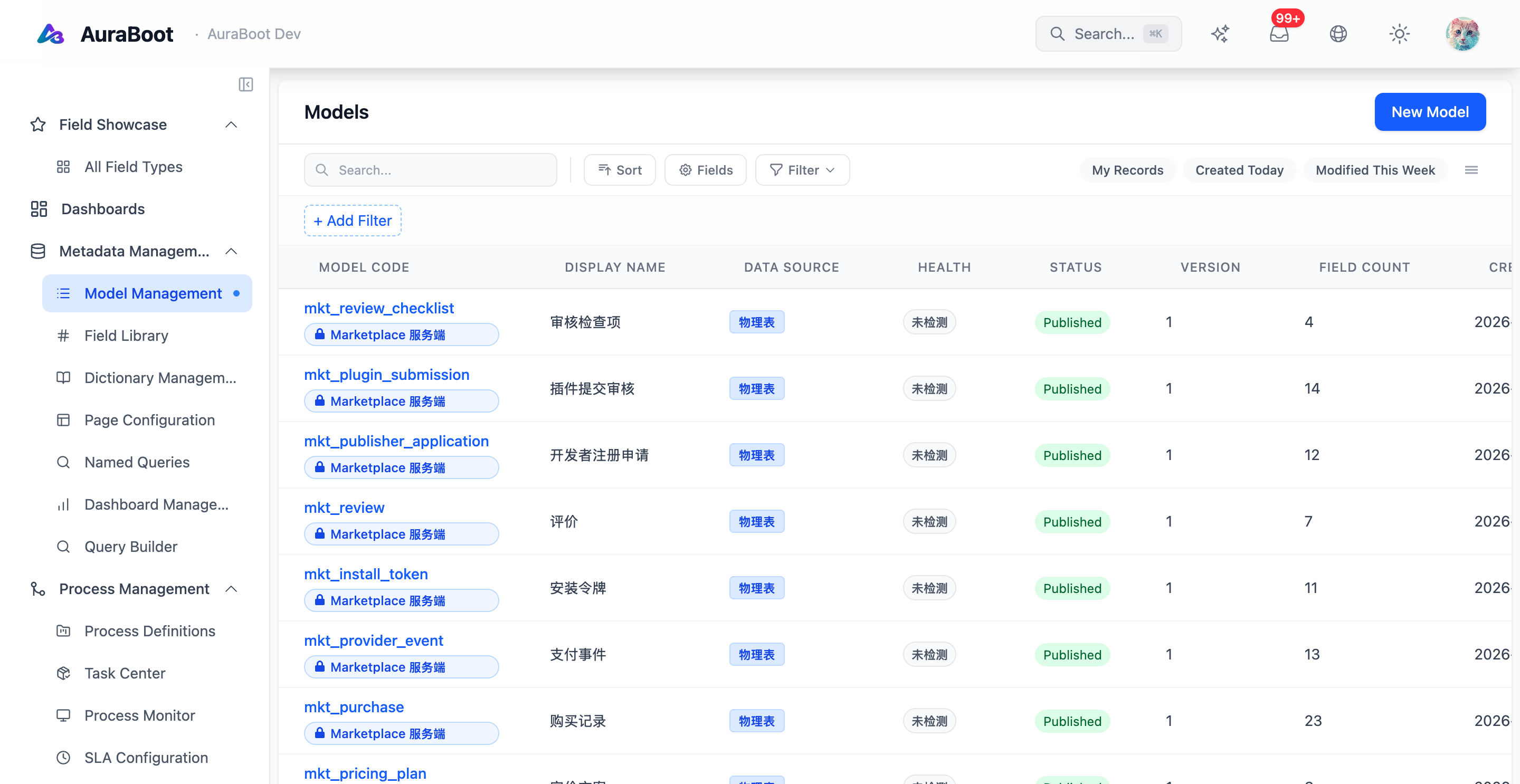
Models are the foundation of every AuraBoot application. A model describes the business data you want to store or display. From that definition AuraBoot can create tables, expose dynamic APIs, render form fields, validate inputs, and bind permissions.
Model types
AuraBoot uses different model types for different data responsibilities:
| Type | Physical table | Typical use |
|---|---|---|
entity | Yes | Customer, order, task, invoice, lead |
view | No | Query-backed read-only list or detail projection |
tree | Yes | Hierarchical data (categories, org structure) |
virtual | No | Model without a physical table |
Most business modules start with entity models. View models become useful when you need read-optimized screens, reports, dashboards, or composed data from multiple sources.
Model definition
A simple entity model looks like this:
{
  "code": "crm_lead",
  "name": "Lead",
  "modelType": "entity",
  "tableName": "mt_crm_lead",
  "description": "Sales lead tracking",
  "fields": [
    { "code": "lead_name", "name": "Lead Name", "dataType": "string", "required": true },
    { "code": "email", "name": "Email", "dataType": "string", "unique": true },
    { "code": "status", "name": "Status", "dataType": "enum", "dictCode": "crm_lead_status" }
  ]
}| Property | Required | Description |
|---|---|---|
code | Yes | Stable model identifier, usually snake_case |
name | Yes | Human-readable label |
modelType | Yes | entity, view, tree, or virtual |
tableName | No | Physical table name; can be generated |
description | No | Business purpose and usage notes |
fields | Yes | Field definitions rendered by API and UI |
Field types
| Data Type | Storage | UI behavior | Example |
|---|---|---|---|
string | varchar | Single-line input | Name, title |
text | text | Multi-line input | Notes, description |
integer | bigint | Number input | Quantity |
decimal | numeric | Decimal input | Amount, price |
money | numeric | Multi-currency amount | Price, contract amount |
boolean | boolean | Switch or checkbox | Active flag |
date | date | Date picker | Due date |
datetime | timestamp | Date-time picker | Event time |
enum | varchar | Select, radio, badge (with dictCode) | Status |
reference | bigint | Searchable picker | Assigned user |
json | jsonb | Structured object | Extension attributes |
computed | virtual | Read-only display | Total amount |
The field type is not only a database decision. It also influences validation, generated UI controls, filters, sorting, display formatting, and API payload handling.
Dictionaries
Use dictionaries when a field has a controlled set of values:
{
  "code": "crm_lead_status",
  "name": "Lead Status",
  "items": [
    { "value": "new", "label": "New", "sortNo": 1 },
    { "value": "contacted", "label": "Contacted", "sortNo": 2 },
    { "value": "qualified", "label": "Qualified", "sortNo": 3 },
    { "value": "lost", "label": "Lost", "sortNo": 4 }
  ]
}Dictionary values are useful for statuses, categories, priority, source, region, and other values that should be consistent across forms, lists, filters, dashboards, and workflows.
Reference fields
Reference fields connect models:
{
  "code": "assigned_to",
  "name": "Assigned To",
  "dataType": "reference",
  "referenceModelCode": "sys_user",
  "refDisplayField": "display_name"
}References are used by list columns, detail pages, sub-tables, permissions, workflows, and reports. A common pattern is a parent model with child records:
crm_account
  -> crm_contact.account_id
  -> crm_opportunity.account_id
-> crm_activity.account_idSystem fields
AuraBoot adds standard system fields to managed entity tables:
| Field | Purpose |
|---|---|
id | Internal primary key |
pid | Stable public identifier |
tenant_id | Tenant isolation |
created_at | Creation timestamp |
updated_at | Last update timestamp |
created_by | Creator user |
updated_by | Last modifier |
Do not duplicate these fields in your model JSON. Use them in filters, audit views, and integrations when needed.
Design guidelines
- Prefer stable, business-readable model codes such as
crm_leadorpm_task. - Keep field codes stable after data exists. Renaming fields is a migration.
- Use dictionaries for states that drive workflows.
- Use reference fields instead of copying display names across records.
- Add descriptions for fields that have business meaning beyond their label.
- Start with entity models; introduce view models only when a screen or report needs a composed projection.
Next steps
- Commands - Define operations on your models.
- Pages and Layouts - Render models as UI.
- Plugin Development - Package models into reusable modules.